
Where a preview helps
- Choosing a blended or deliberately disconnected side profile
- Explaining fade height and top weight to a barber
- Anticipating how the sides will look during grow-out
Side-by-side hairstyle decision guide
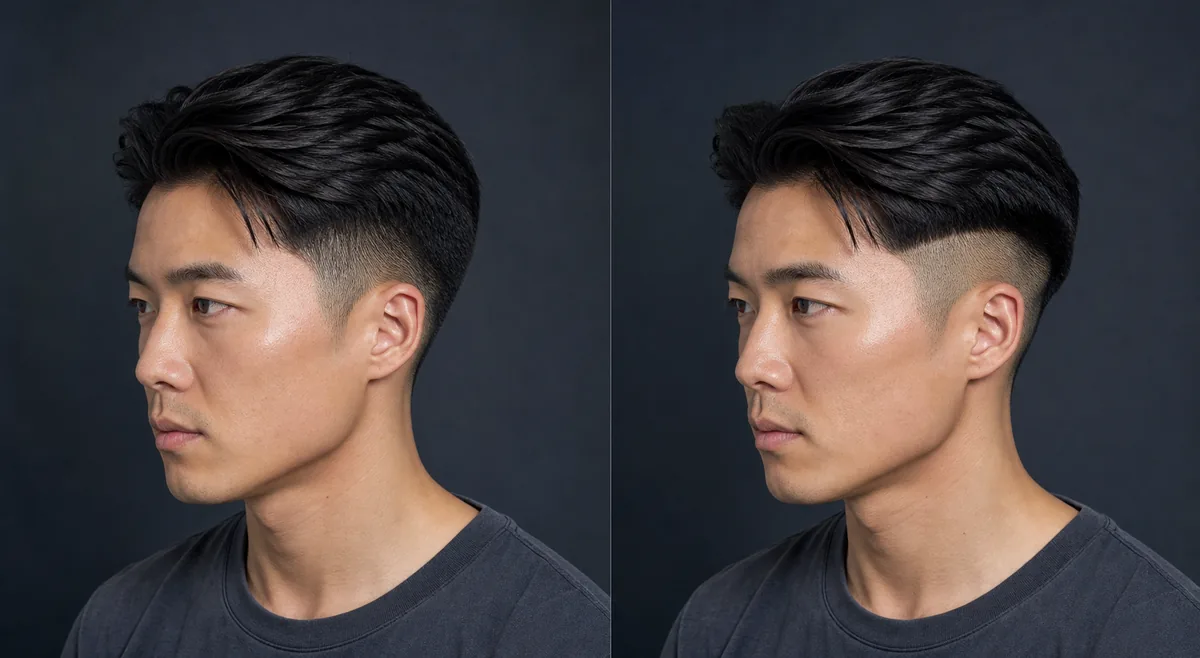
A fade gradually changes from shorter hair into longer hair; an undercut keeps a stronger break between short sides and a longer top. Either can be worn at different lengths, so the defining decision is the transition rather than one fixed haircut.
 FadeUndercut
Before the appointment
Use a three-quarter or side view and keep the top style similar. Check fade height, the line of disconnection, weight near the ridge, and how the top falls over the sides. A barber may adapt both options to head shape and growth patterns.
| Decision point | Fade | Undercut |
|---|---|---|
| Transition | Gradual blend | Clear disconnection |
| Side profile | Soft gradient | Sharper top-to-side break |
| Grow-out | Blend loses contrast | Shelf becomes more visible |
| Barber brief | Height and shortest length | Disconnection line and top weight |
What to tell your stylist or barber
Point to where the short section should begin and whether the top must blend into it. Describe the fade height, shortest visible length, and how much weight should remain near the ridge.
Photo setup
Use a sharp side or three-quarter portrait with the temple, ear, ridge, and crown visible. Front-only photos hide the transition you are trying to compare.
In the Android app
Use a front-facing photo with your face and hairline visible in even light.
Choose a haircut, hairstyle, or hair color and let Glowify create the preview.
Keep favorite before-and-after results as a starting point for your salon or barber conversation.
Common questions
Some hybrid cuts use faded lower sides beneath a disconnected top. Be specific about which areas should blend and where a clear break should remain.
A low, subtle fade may grow softly, while a strong undercut can develop a visible shelf. Real density and top length affect both outcomes.
A level side or three-quarter view shows the temple, ear, ridge, and transition much more clearly than a front portrait.
Nearby options
Use the alternatives below to isolate the detail that matters most to your decision.
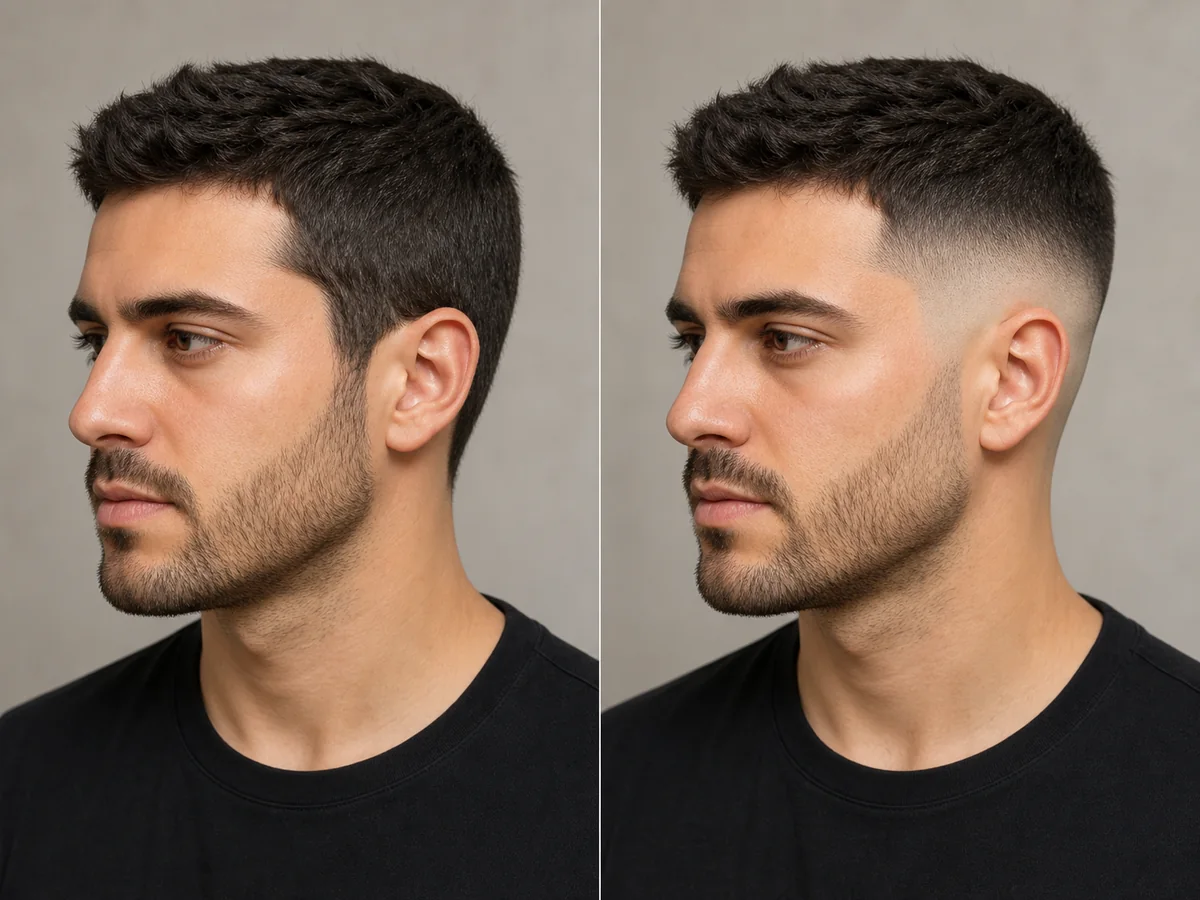
A fade is defined by where the shortest area begins and how quickly it blends into the top. Previewing the contrast can help you discuss low, mid, or high placement more clearly.
Explore this look →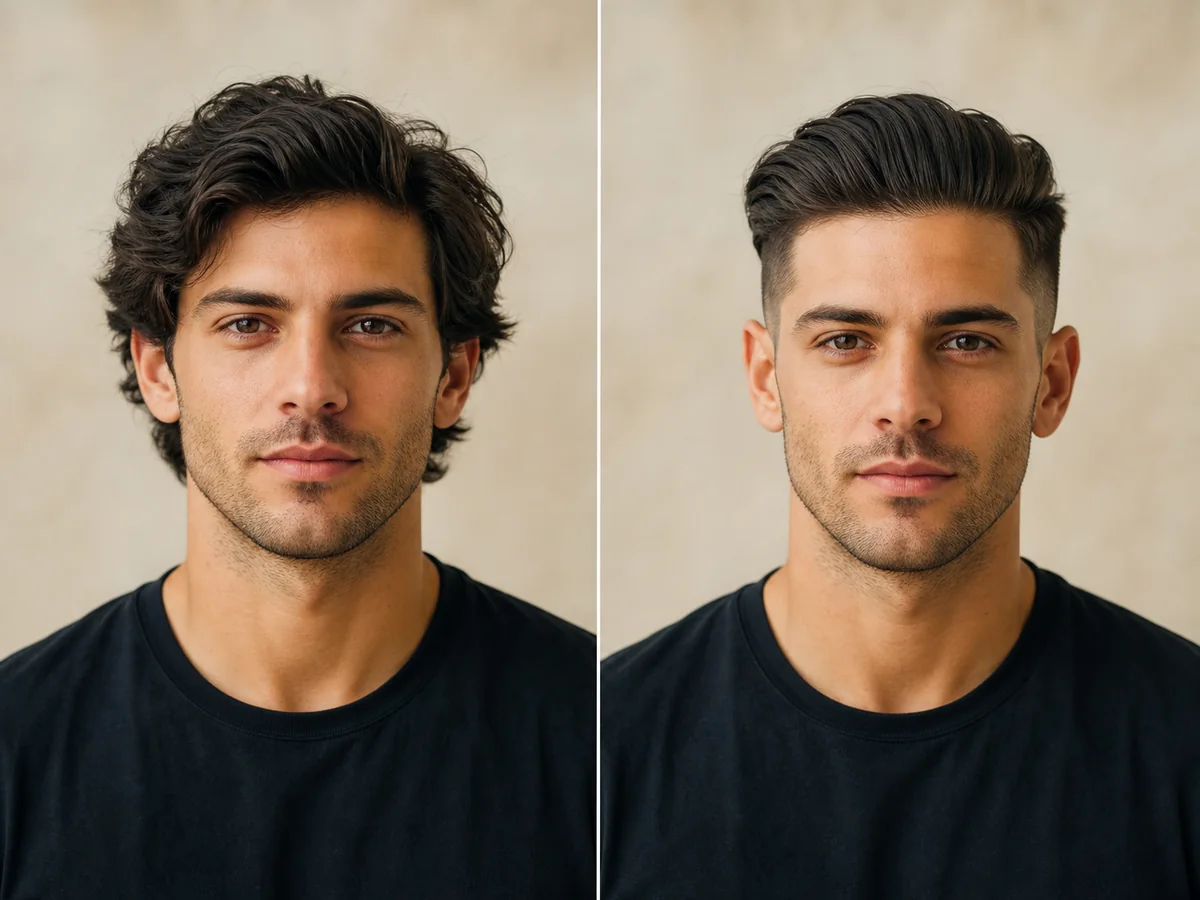
An undercut creates a deliberate break between longer top hair and much shorter sides. The length difference can feel subtle when covered or dramatic when styled back.
Explore this look →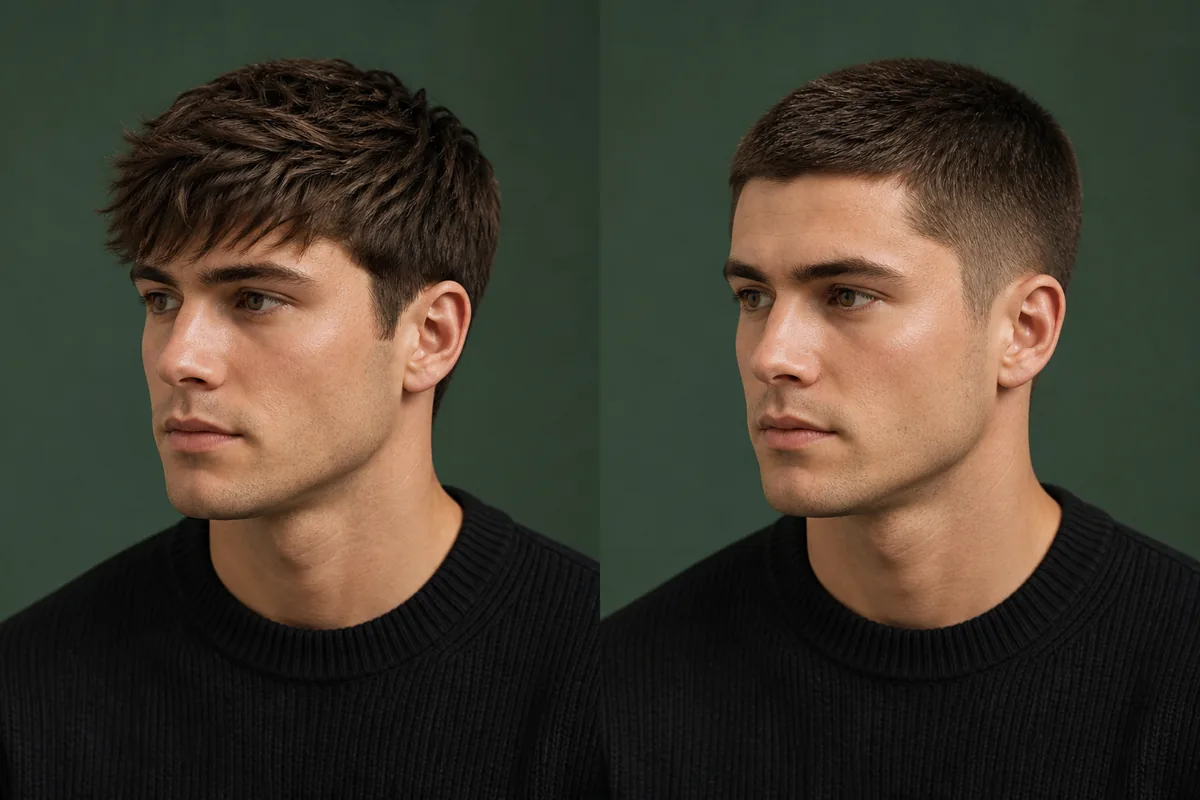
A textured crop usually directs short, separated pieces forward toward the forehead. A crew cut keeps the front more open and gradually leaves extra length toward the top. Their lengths can overlap, but the styling direction creates a different frame.
Explore this look →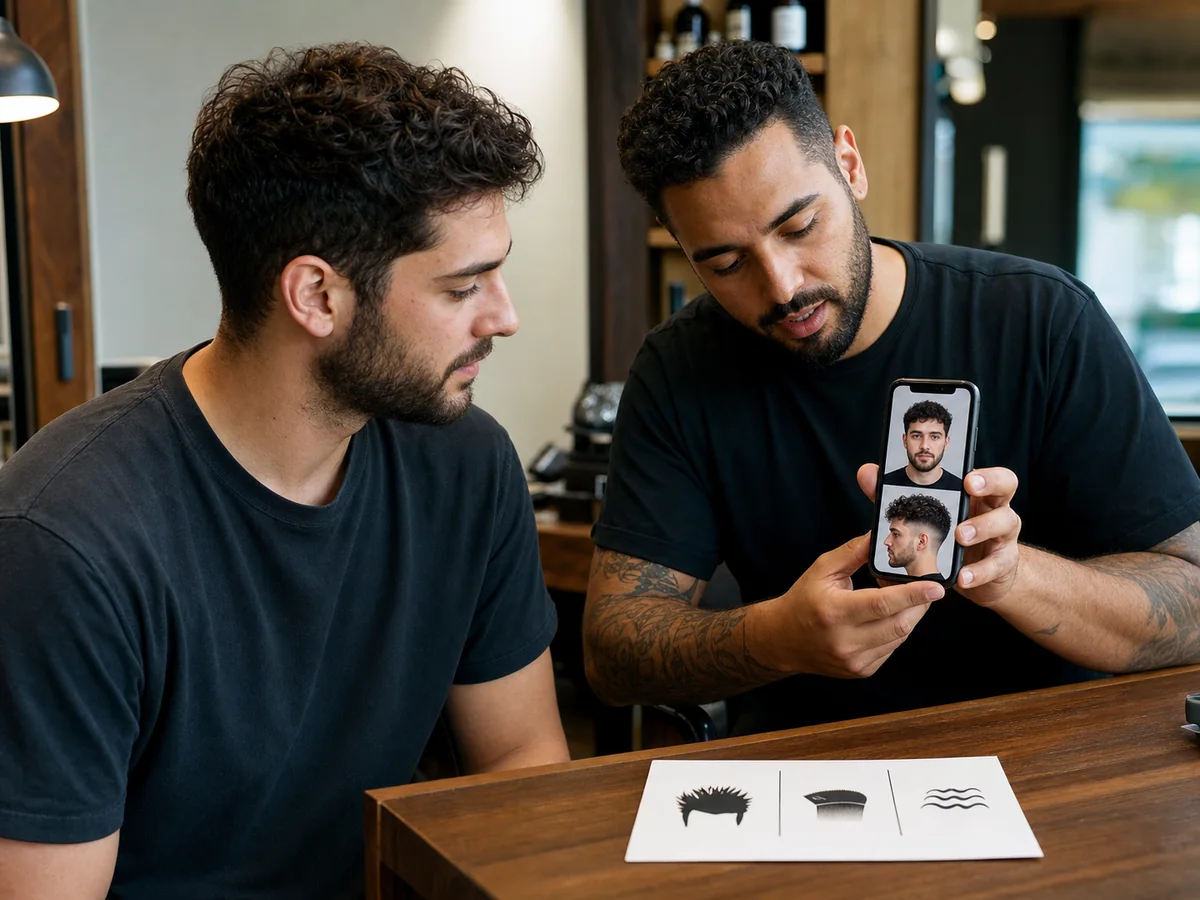
A reference image helps most when you can explain the details you want to keep. The barber also needs permission to adapt those details to your density, growth pattern, head shape, and routine.
Explore this look →Take the next step
Open Glowify on Android, compare the result, and bring the useful details to your stylist or barber.