
Where a preview helps
- Choosing between an open neckline and visible length
- Comparing soft face-framing with a cleaner swept-back front
- Arriving at the bridal trial with one or two focused directions
Hairstyle preview for a specific plan
A wedding hairstyle has to work from several angles, stay comfortable for hours, and still feel recognizable in photographs. Use a preview to narrow the silhouette first: fully pinned up, half-up with visible length, or softly gathered near the nape.
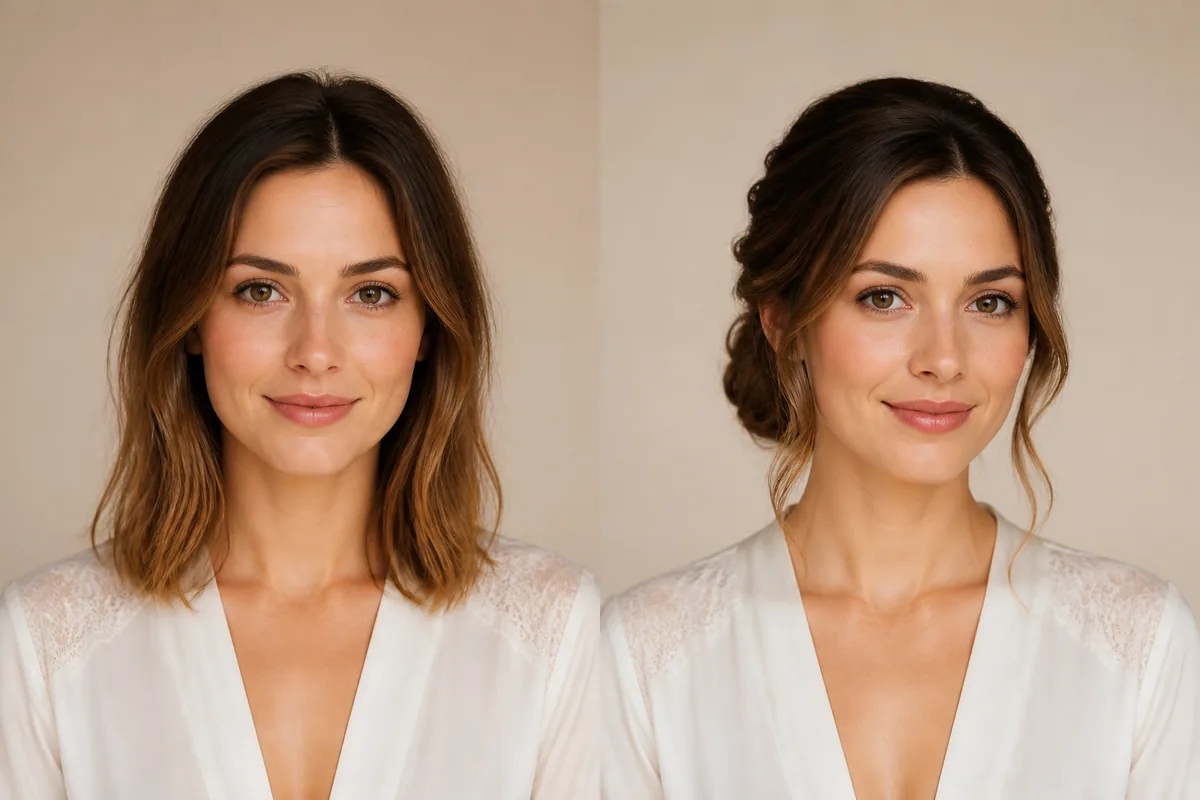 OriginalPreview
Before the appointment
The useful decision is not simply “bridal hair.” Check how much hair remains around the face, where volume sits, and whether the neckline is open or covered. A front-view AI image can clarify that direction, while a real trial is still needed to test hold, pins, texture, accessories, and the back view.
What to tell your stylist or barber
Bring the preferred preview together with a photo of the dress neckline and any confirmed veil or accessory. Explain which front pieces, crown height, and amount of visible length you want; let the stylist design the secure back structure during the trial.
Photo setup
Use even daylight and a front-facing image that includes the crown, ears, shoulders, and dress neckline area. Move loose hair away from the face, but do not crop so tightly that the stylist cannot judge the intended proportions.
In the Android app
Use a front-facing photo with your face and hairline visible in even light.
Choose a haircut, hairstyle, or hair color and let Glowify create the preview.
Keep favorite before-and-after results as a starting point for your salon or barber conversation.
Common questions
No. The preview helps narrow the front silhouette and framing. A trial checks the back construction, comfort, hold, accessory placement, and how the style behaves on your actual hair.
Choose the hairstyle direction first. Then show the stylist the real veil or accurate accessory references, because weight, comb placement, and removal plans affect how the finished style must be built.
Use a level, evenly lit portrait with the crown, ears, shoulders, and hairline visible. Keep the camera distance natural and avoid beauty filters that change the face or soften hair edges.
Nearby options
Use the alternatives below to isolate the detail that matters most to your decision.
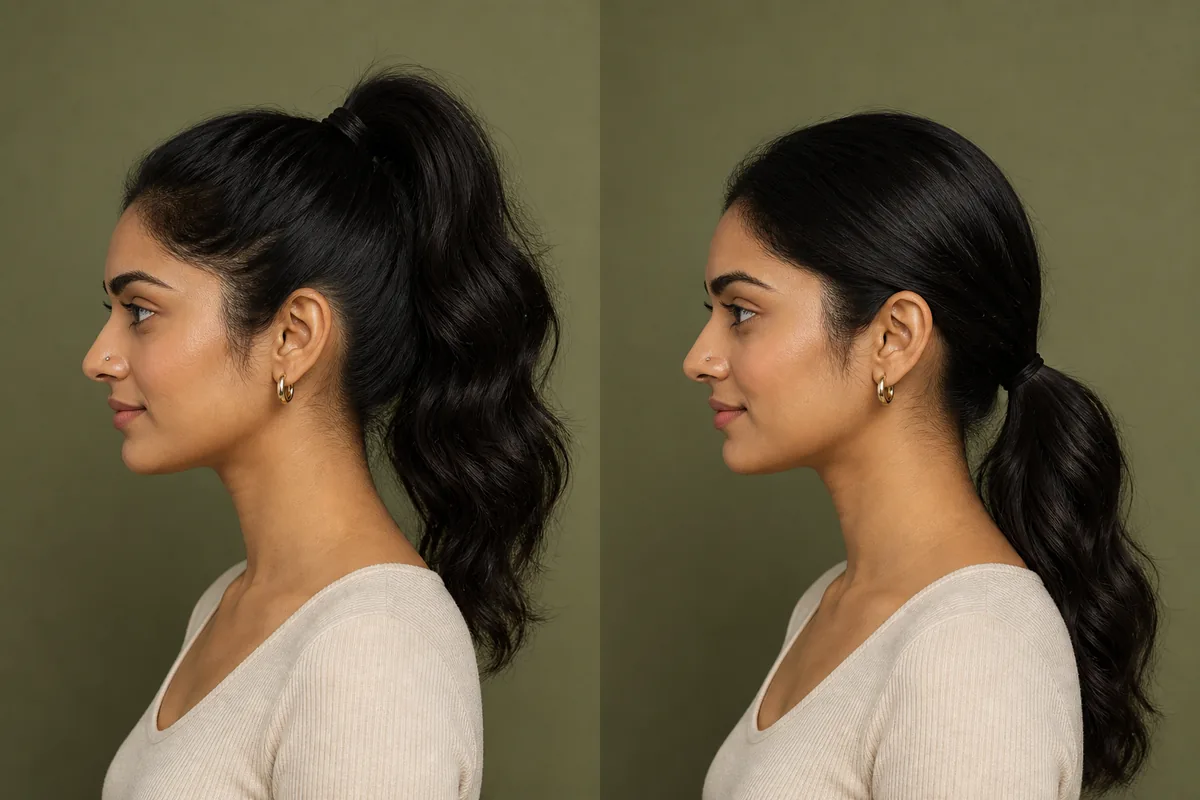
A high ponytail places the tie point above the ears and pulls attention toward the crown. A low ponytail sits near the nape, keeps the top calmer, and leaves a longer line behind the neck. The difference is easiest to judge from both front and side views.
Explore this look →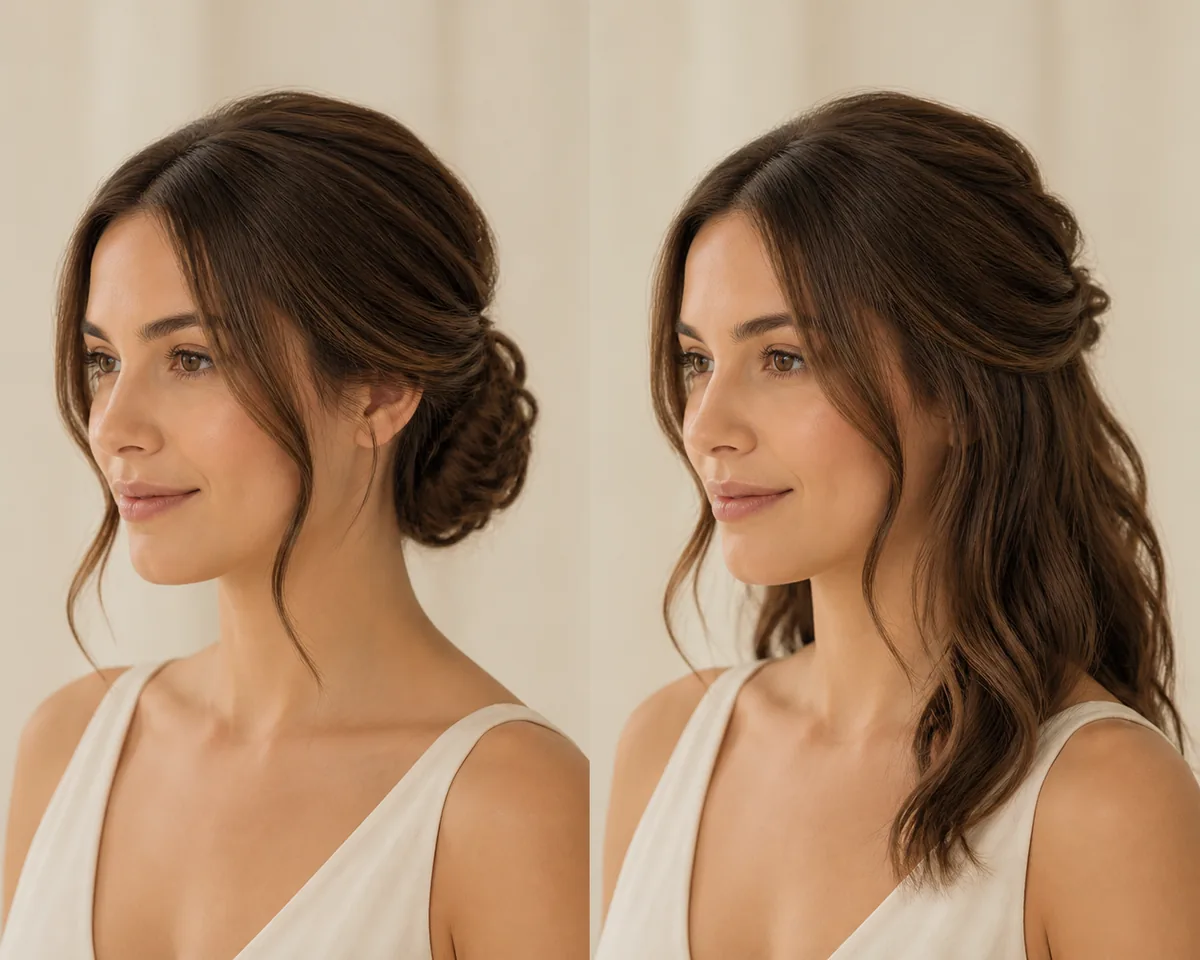
A wedding updo gathers most length away from the neck; a half-up style secures the crown while leaving the lower lengths visible. The choice affects the dress neckline, movement, accessory placement, weather plan, and how much styling remains visible from the front.
Explore this look →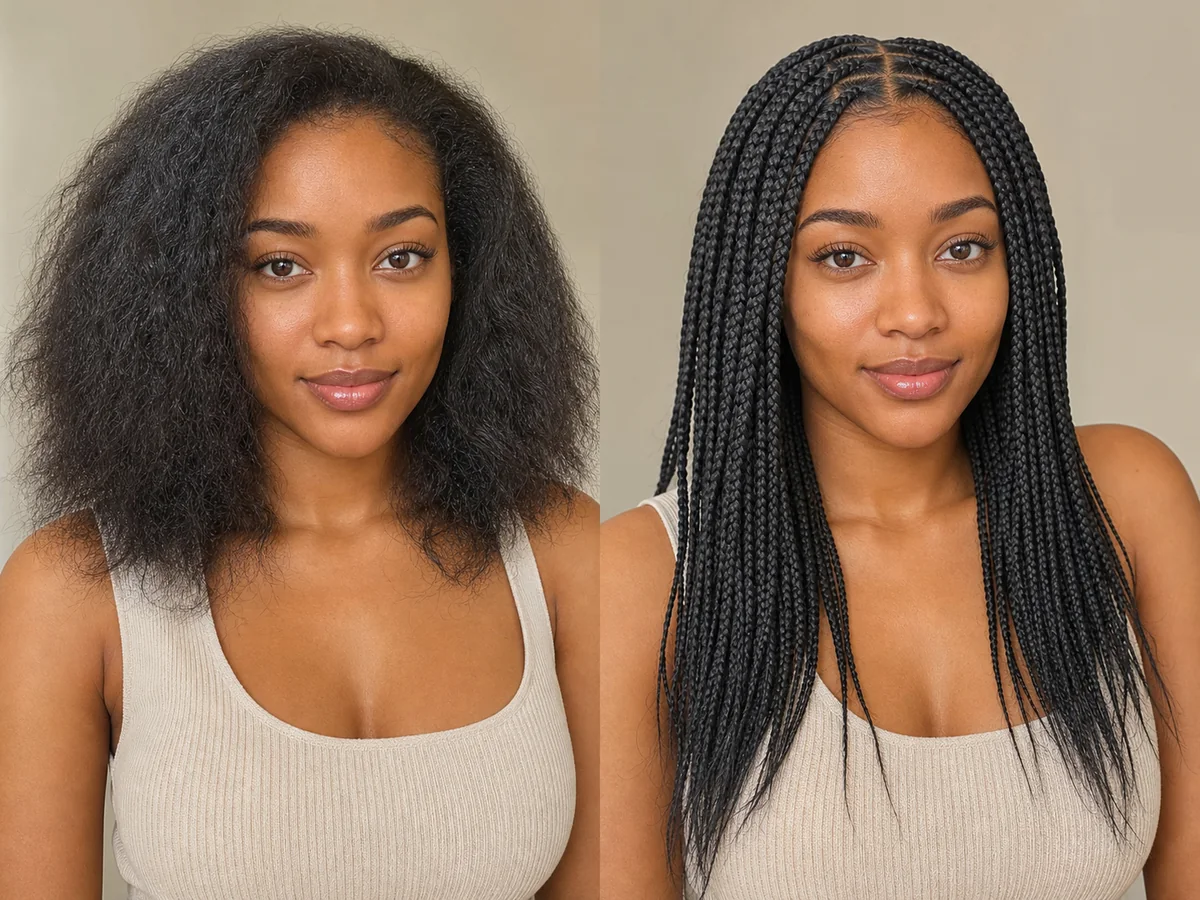
Braids vary widely in size, placement, length, pattern, and tension. An AI preview is best used to explore the broad visual direction before discussing safe, practical execution.
Explore this look →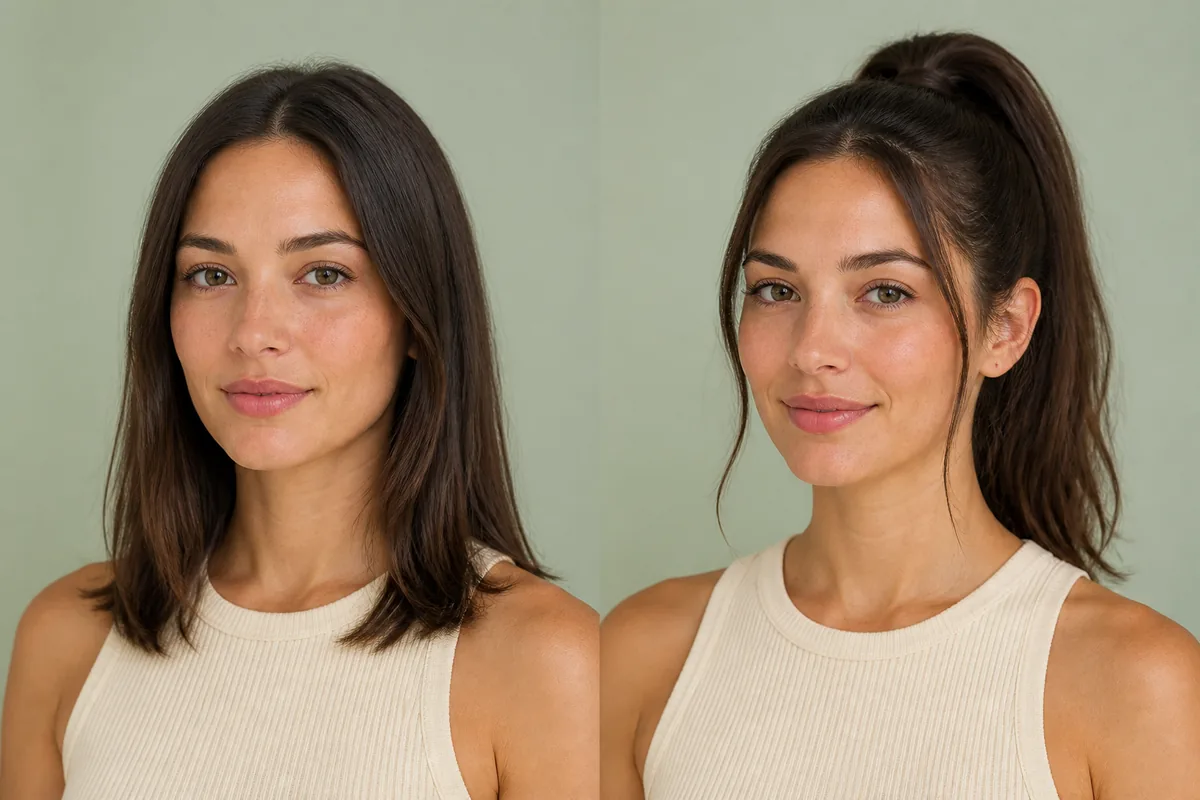
A ponytail changes more than where the hair is tied. Height shifts the visual focus, tension changes the front hairline, and the tail can look sleek, full, curled, braided, or relaxed. Preview the overall direction before deciding on the finish.
Explore this look →Take the next step
Open Glowify on Android, compare the result, and bring the useful details to your stylist or barber.