
Where a preview helps
- Choosing maximum depth or visible brown reflection
- Comparing facial contrast without changing the haircut
- Planning roots and future color flexibility
Side-by-side hairstyle decision guide
Black hair creates the deepest frame and can read as neutral, cool, or softly warm under light. Brunette preserves more visible brown reflection and a wider range of medium-to-deep levels. The difference can be subtle on screen but strong near the face.
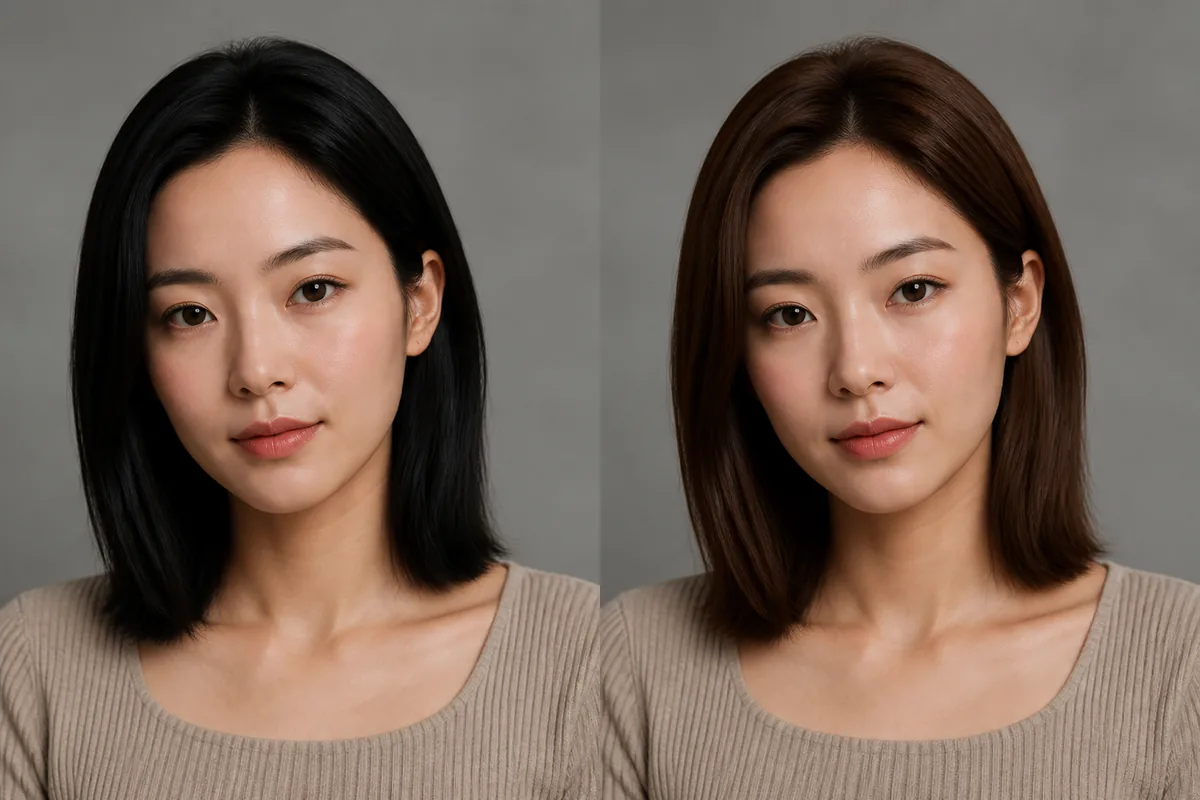 BlackBrunette
Before the appointment
Compare both in neutral daylight with the haircut unchanged. Check eyebrow contrast, skin reflection, and whether the ends retain visible brown. Permanent dark dye can affect future lightening, so the real formula and long-term plan matter more than the preview alone.
| Decision point | Black | Brunette |
|---|---|---|
| Depth | Deepest overall field | Medium to deep brown |
| Reflection | Subtle under neutral light | Brown tones remain visible |
| Facial contrast | Usually stronger | Often softer |
| Future change | Dark pigment may be hard to lift | Depends on formula and starting level |
What to tell your stylist or barber
State whether you want soft black, neutral black, darkest brown, or medium brunette. Discuss future lightening before committing to permanent dark pigment and ask whether a deposit-only approach suits the goal.
Photo setup
Use bright indirect daylight and avoid underexposure. Include roots and ends so natural depth, old color, and the intended target can be compared.
In the Android app
Use a front-facing photo with your face and hairline visible in even light.
Choose a haircut, hairstyle, or hair color and let Glowify create the preview.
Keep favorite before-and-after results as a starting point for your salon or barber conversation.
Common questions
They can look similar indoors, but darkest brown usually reveals warmer or brown reflection in stronger light. Show references under neutral lighting.
Permanent dark pigment can be difficult to remove without damage. A colorist can explain deposit options and a longer-term plan before you commit.
It provides a visual comparison, but brightness, display settings, camera exposure, and room light can compress very dark shades.
Nearby options
Use the alternatives below to isolate the detail that matters most to your decision.
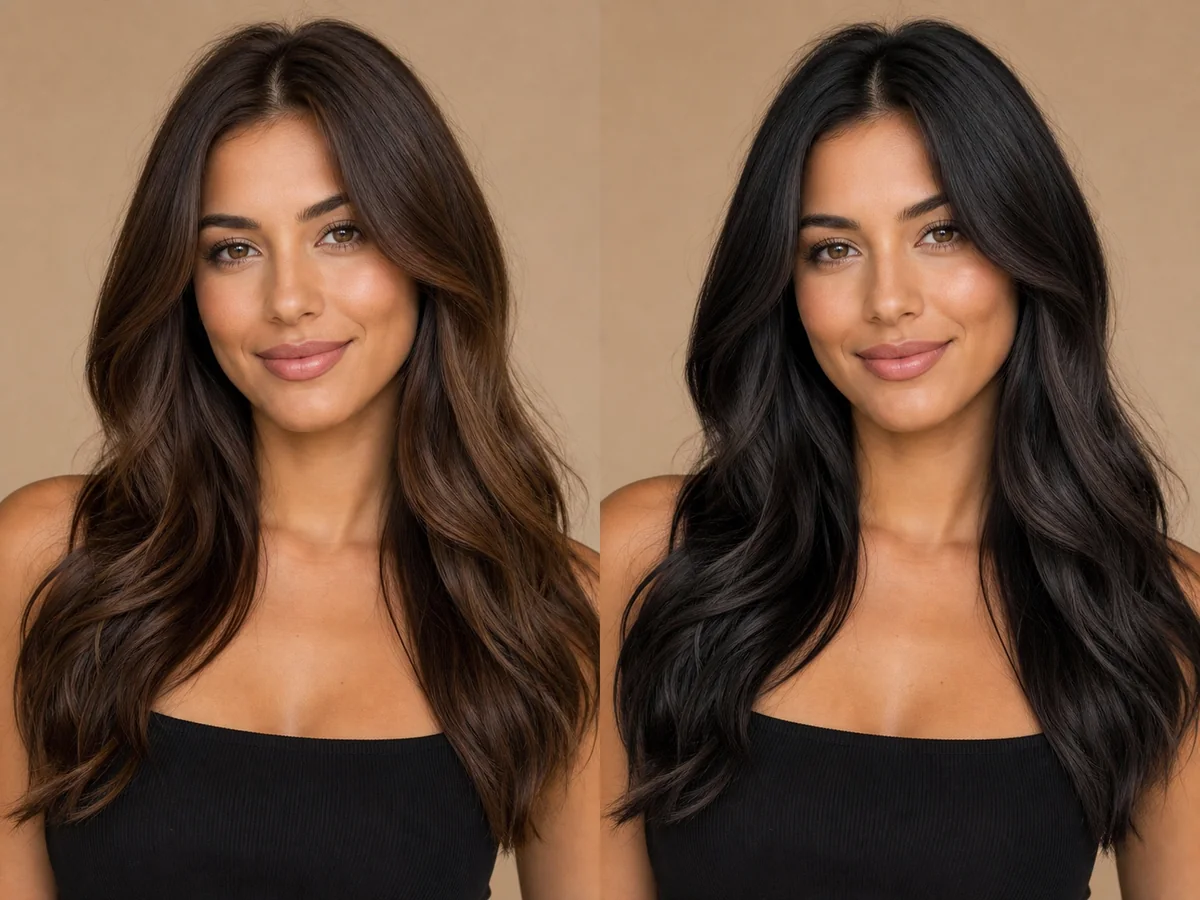
Black hair creates a strong, clean frame and can change the perceived contrast of skin, eyes, brows, and clothing. Soft black and blue-black do not produce the same effect.
Explore this look →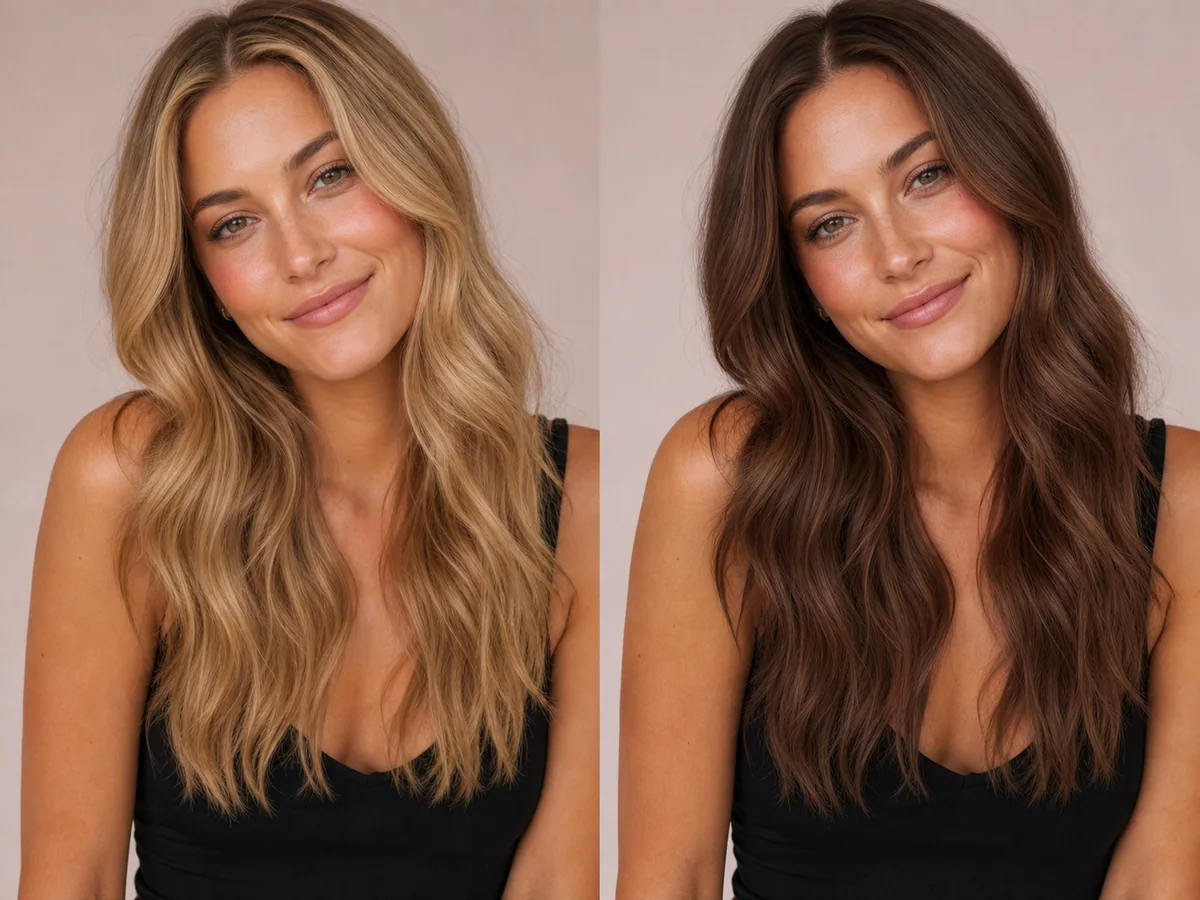
Brunette shades can look soft and dimensional or deep and high-contrast. The useful decision is not simply “brown,” but the depth, warmth, and amount of variation through the hair.
Explore this look →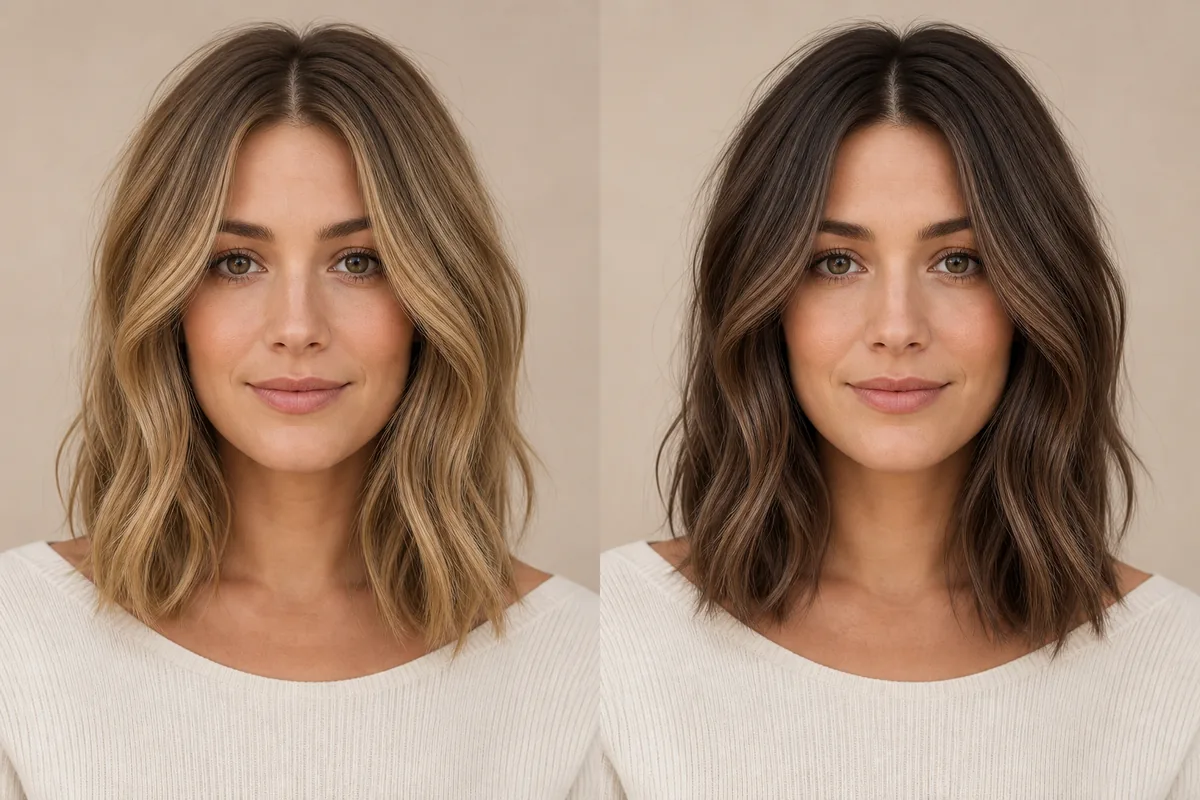
Blonde reflects more light and usually lowers the depth around the face; brunette creates a deeper frame and often stronger contrast. Neither family is one shade, so compare similar undertones before deciding whether lightness or depth is the real preference.
Explore this look →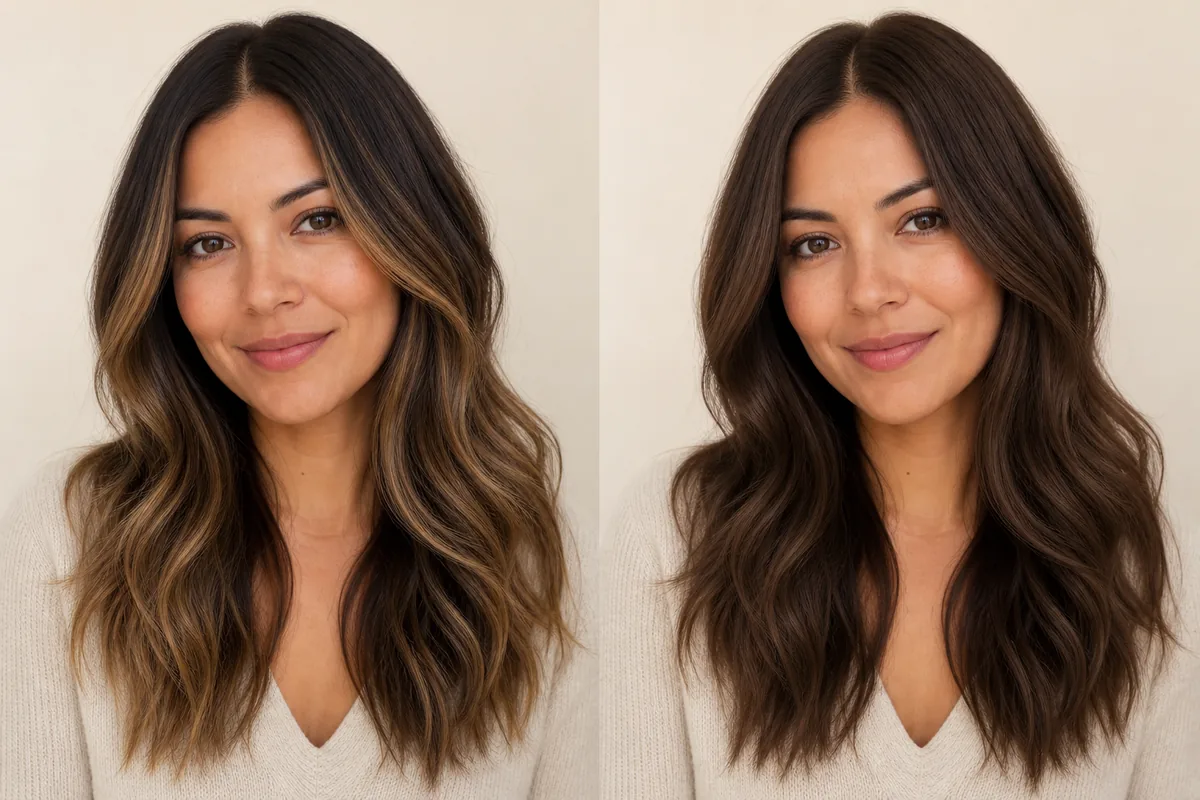
Balayage places selected lighter or different-toned pieces through the hair, usually preserving depth at the root. Full color changes the overall field more consistently. The decision is about placement and contrast as much as the chosen shade.
Explore this look →Take the next step
Open Glowify on Android, compare the result, and bring the useful details to your stylist or barber.