
Where a preview helps
- Separating a cropped shape from a short perimeter cut
- Checking comfort with visible ears and neckline
- Planning maintenance and a possible grow-out route
Side-by-side hairstyle decision guide
A pixie exposes the ears and neckline and relies on short sections through the sides and crown. A bob keeps a continuous perimeter around the face. The decision is therefore about structure and coverage, not just removing a few more inches.
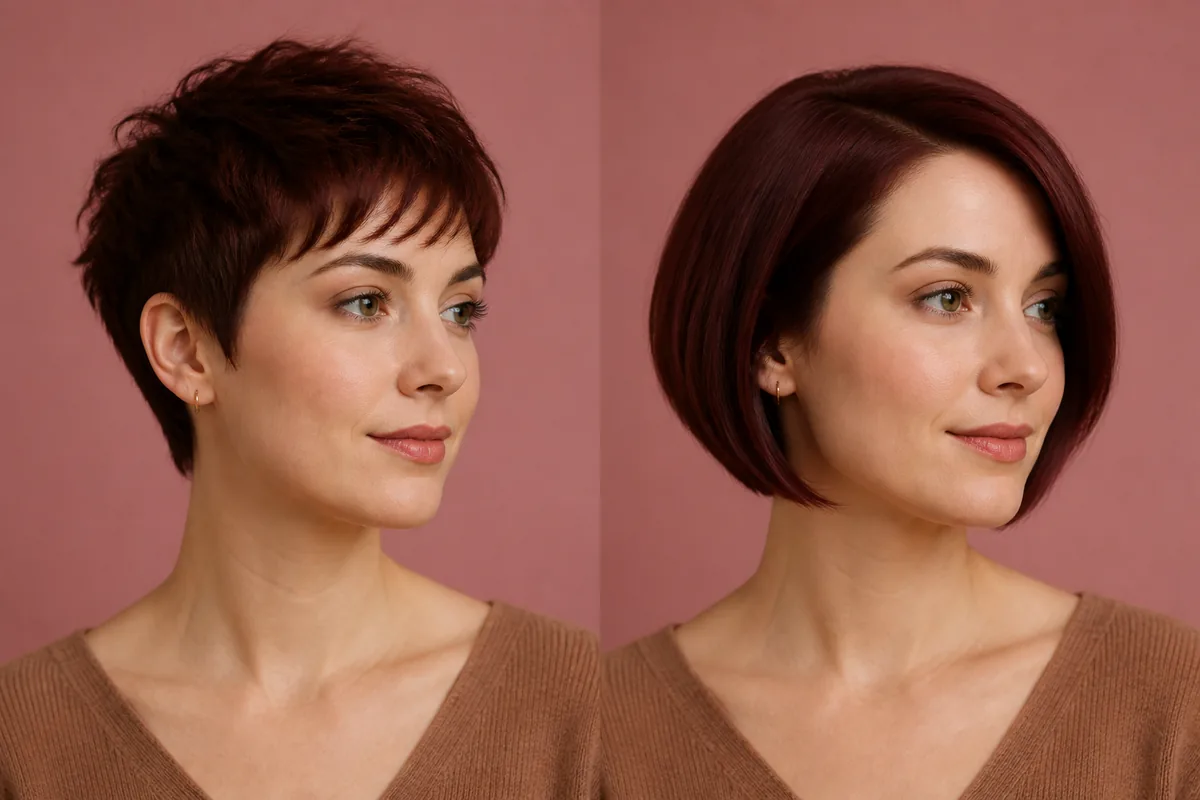 Pixie cutBob
Before the appointment
Preview the two silhouettes with the same fringe direction. Notice crown height, ear coverage, jaw framing, and how much hair remains available to tuck or tie. A stylist must still assess cowlicks and growth patterns before translating either image into a cut.
| Decision point | Pixie cut | Bob |
|---|---|---|
| Core structure | Cropped sides and crown | Continuous perimeter |
| Coverage | Ears and neck more open | More framing around jaw |
| Upkeep focus | Short shape and growth | Perimeter and balance |
| Grow-out | Several distinct stages | Length builds more evenly |
What to tell your stylist or barber
For a pixie, describe the fringe, crown, ears, and neckline separately. For a bob, identify the dry perimeter and internal layering. Do not ask for “something short” without choosing which structure you mean.
Photo setup
Choose a front-facing photo that shows the full forehead, both ears, jaw, neck, and crown. Avoid a high selfie angle that shortens the visible neck.
In the Android app
Use a front-facing photo with your face and hairline visible in even light.
Choose a haircut, hairstyle, or hair color and let Glowify create the preview.
Keep favorite before-and-after results as a starting point for your salon or barber conversation.
Common questions
It can be a useful intermediate length, but it is not required. Choose it only if you genuinely want the bob shape, not because a face-shape rule says you must transition slowly.
A pixie often shows growth sooner around the ears and neckline. A precise bob also needs regular trims, so the schedule depends on the exact finish.
Keep the photo, expression, color, and parting consistent. That makes ear coverage, crown height, and perimeter easier to compare.
Nearby options
Use the alternatives below to isolate the detail that matters most to your decision.
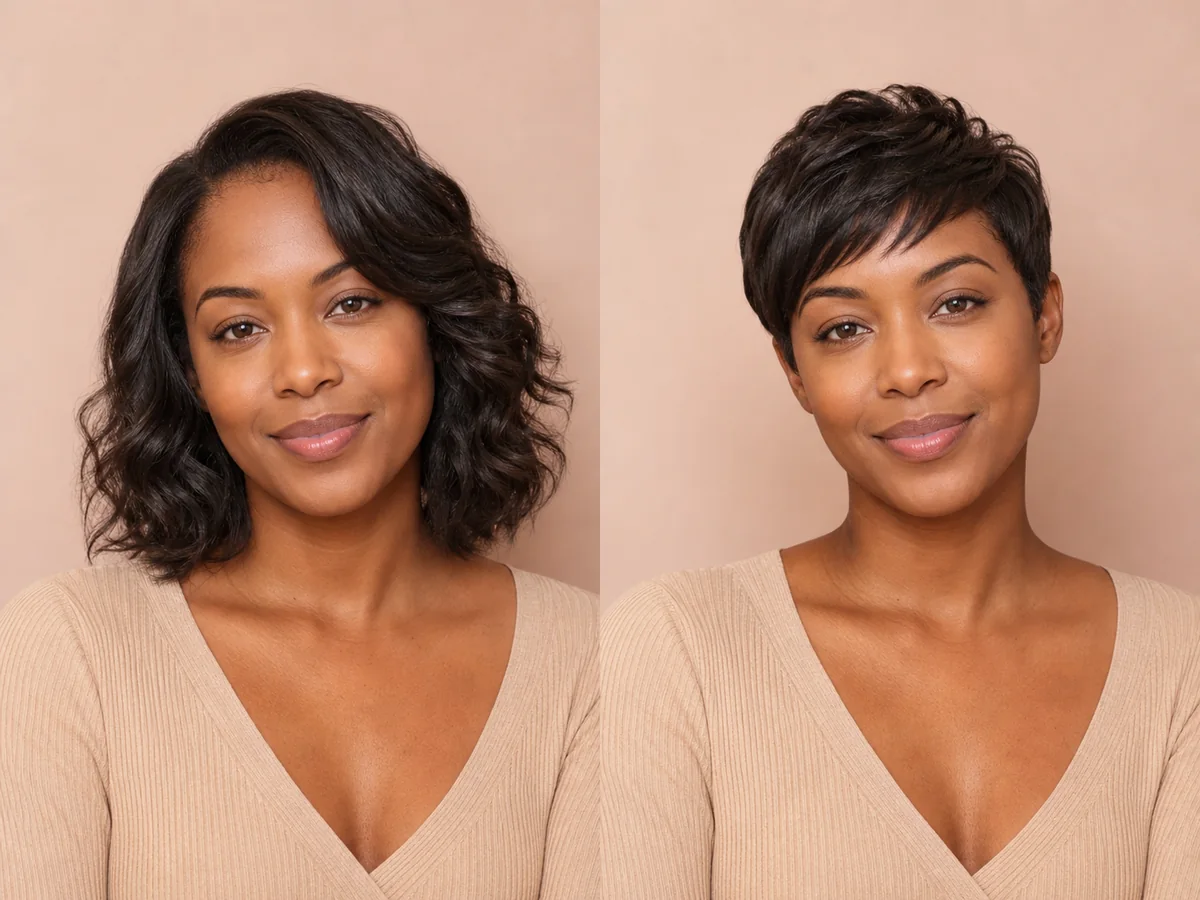
A pixie exposes more of the forehead, ears, cheekbones, and neck than most cuts. Previewing those proportions can make a major haircut decision feel more concrete.
Explore this look →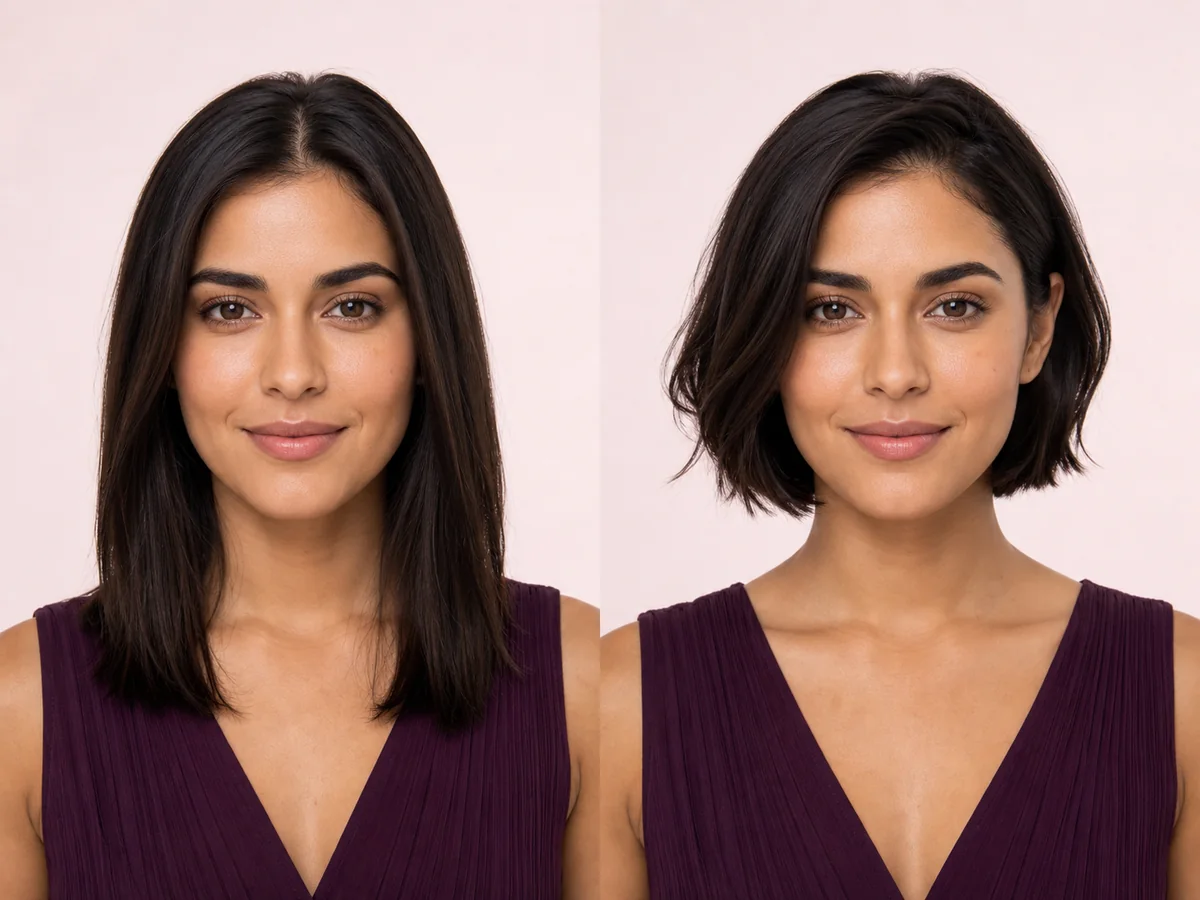
A bob changes the outline around your jaw and neck, so even a small shift in length can feel dramatic. Preview the silhouette on your own face before deciding where the line should fall.
Explore this look →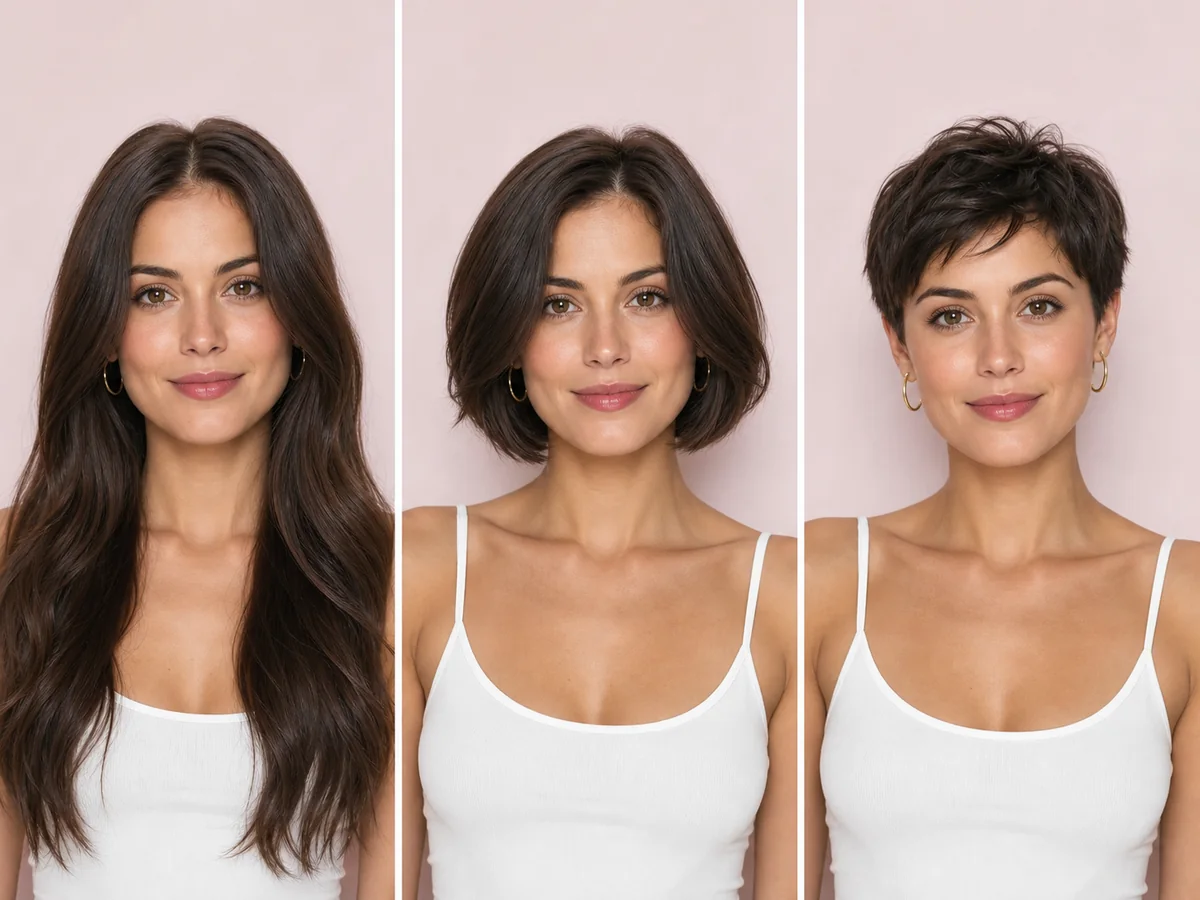
Short hair can suit far more people than rigid face-shape rules suggest. The practical question is which short silhouette matches your features, texture, routine, and willingness to maintain the shape.
Explore this look →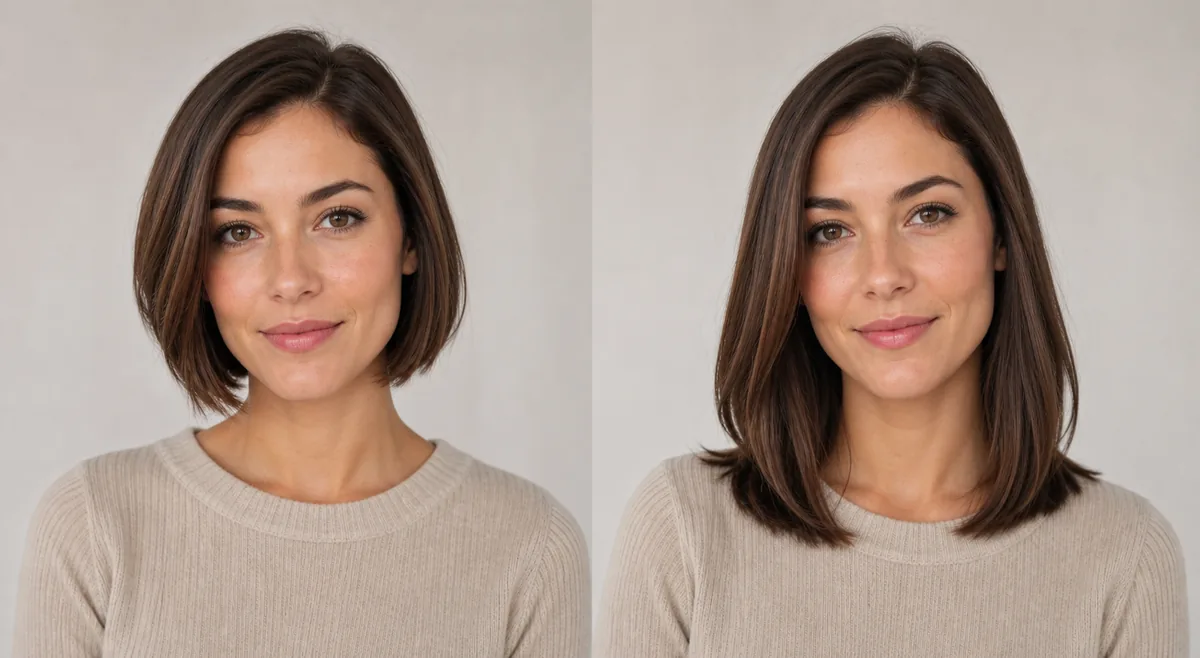
A bob usually finishes around the jaw or upper neck; a long bob reaches closer to the collarbone. The shorter line feels sharper and exposes more neck, while the extra length of a lob keeps more tying and styling options.
Explore this look →Take the next step
Open Glowify on Android, compare the result, and bring the useful details to your stylist or barber.