
Where a preview helps
- Comparing compact curls with larger loop patterns
- Checking how added width changes the overall silhouette
- Testing shorter-looking dry length before discussing layers or styling
Hairstyle preview for a specific plan
Curly hair forms visible loops or spirals, while wavy hair follows looser bends. When previewing curls, pay attention to where the shape expands, how much the dry length appears to shorten, and whether the front remains open or falls toward the face.
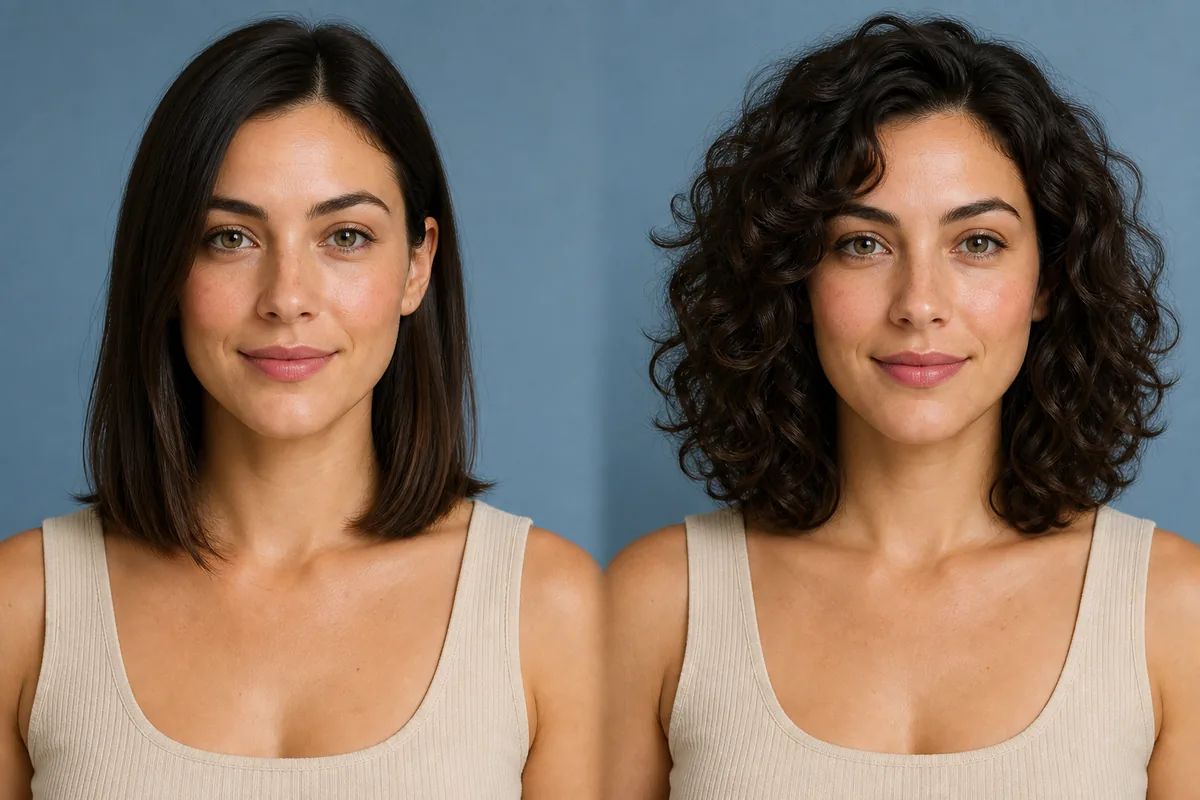 OriginalPreview
Before the appointment
Choose one curl direction at a time rather than asking for generic “curly hair.” Larger loops create a different outline from compact curls, and layered shapes distribute volume differently from a blunt perimeter. The preview can show proportion, but it cannot predict your natural curl pattern or recreate permanent texture services.
What to tell your stylist or barber
Use the image to point out preferred volume, dry length, fringe, and layer placement. Tell the stylist how your hair behaves without styling and what routine you are willing to maintain, so the reference can be adapted honestly.
Photo setup
Start with a clear, front-facing photo in neutral light. Include the full width of the current hair and both shoulders so increased curl volume is not cropped out of the frame.
In the Android app
Use a front-facing photo with your face and hairline visible in even light.
Choose a haircut, hairstyle, or hair color and let Glowify create the preview.
Keep favorite before-and-after results as a starting point for your salon or barber conversation.
Common questions
No. It illustrates a chosen curl direction on a photograph. Genetics, current texture, chemical history, cut, products, and drying technique determine how real hair forms and holds curls.
Loops use part of the strand length to form their shape, so the dry outline often sits higher than straight hair. The amount varies with curl pattern, moisture, and styling.
Yes. Keeping the face, camera, and lighting consistent makes changes in width, movement, and dry length easier to judge.
Nearby options
Use the alternatives below to isolate the detail that matters most to your decision.
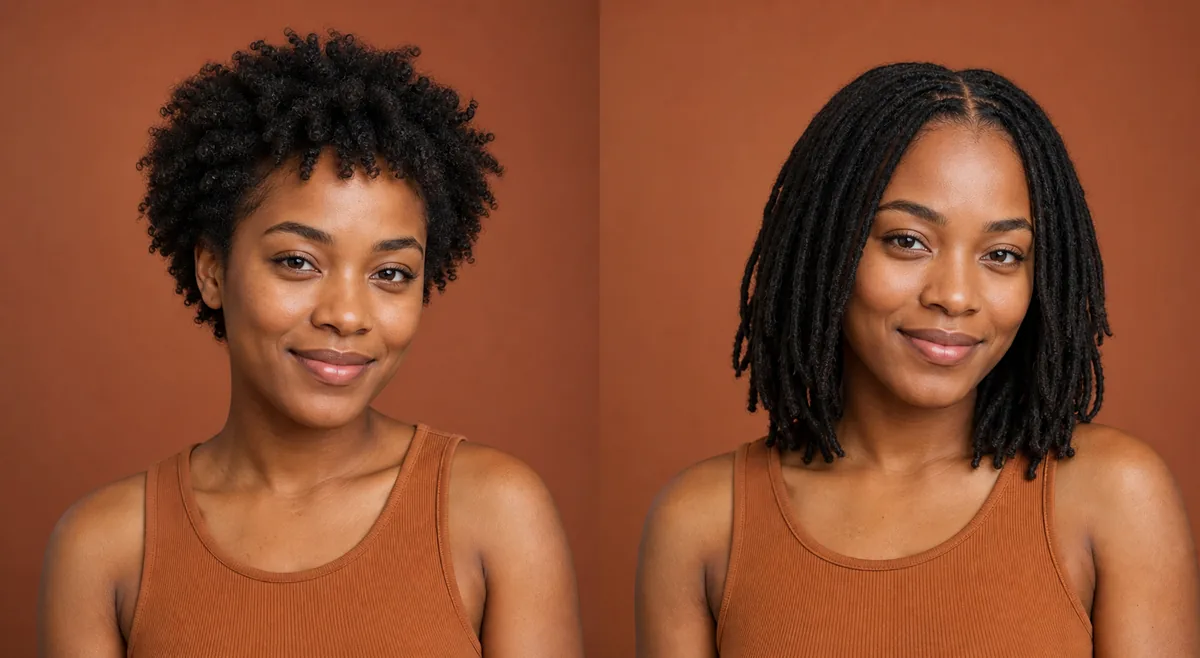
Locs vary widely in size, length, parting, density, and maturity. A useful preview should help you describe the visual direction you like; it should not suggest that every reference can be reproduced immediately from every starting texture or hair history.
Explore this look →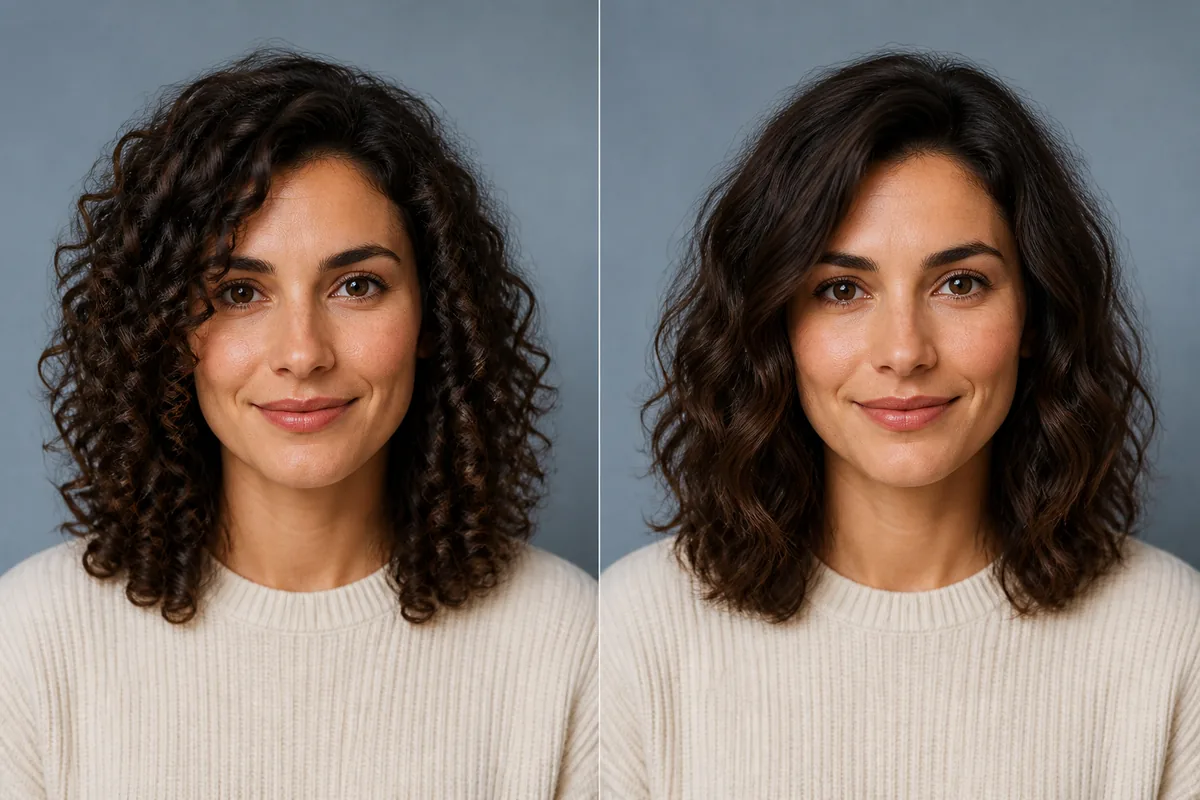
Curly hair forms visible loops or spirals; wavy hair follows looser S-shaped bends. At the same strand length, curls usually create more apparent shrinkage and concentrated volume, while waves keep more visible length and movement.
Explore this look →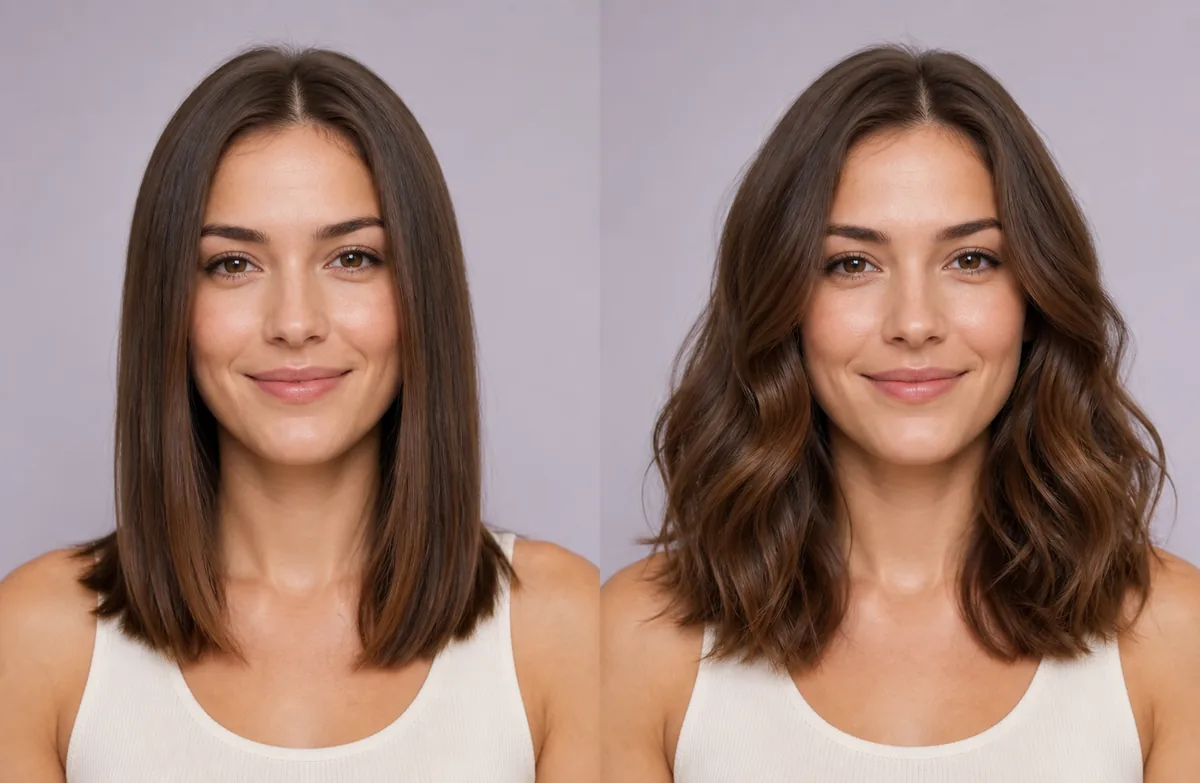
Straight styling makes the haircut perimeter and length easy to see. Wavy styling adds bends, width, and movement, often making the same measured length appear slightly shorter. Compare them without changing the cut or parting.
Explore this look →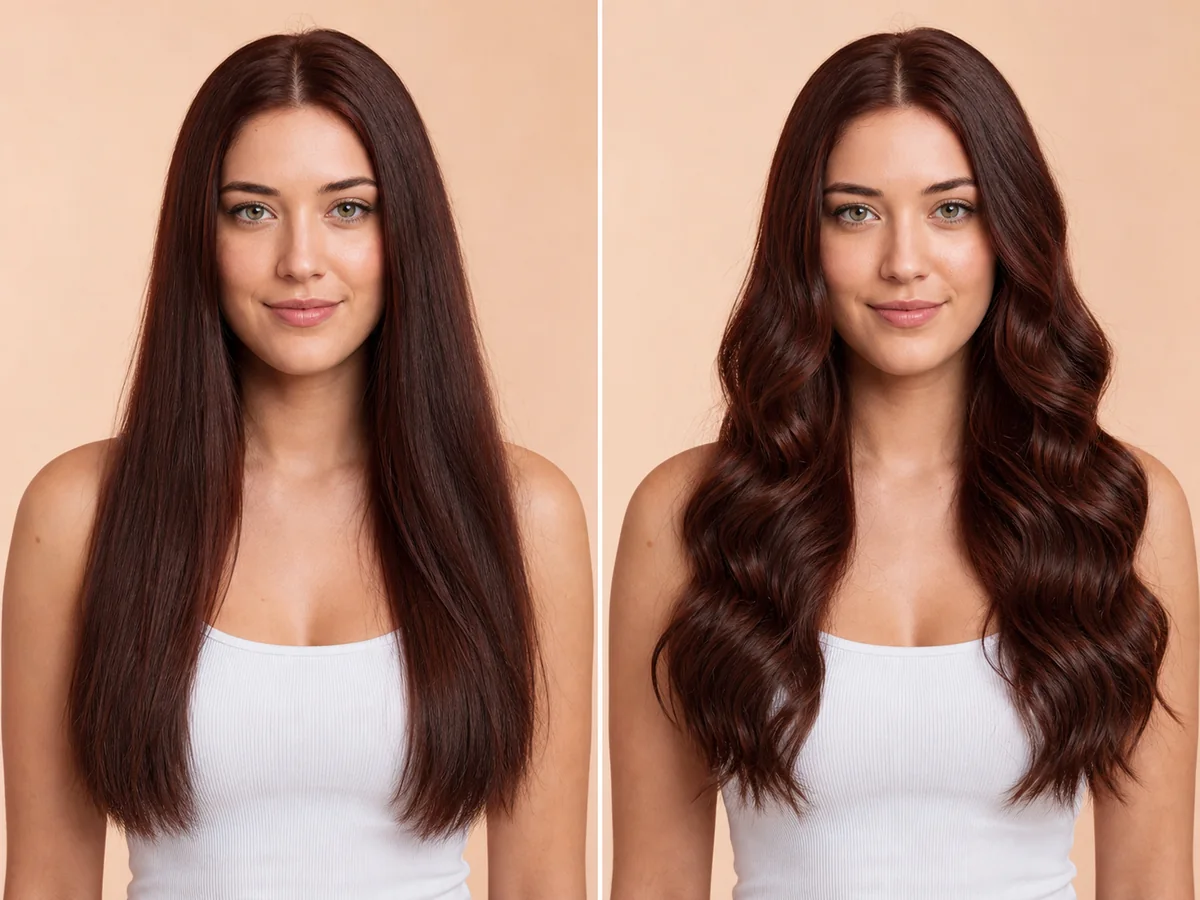
Long waves add width, movement, and a softer outline around the shoulders. A preview can help you compare wave size, volume, parting, and the placement of face-framing pieces.
Explore this look →Take the next step
Open Glowify on Android, compare the result, and bring the useful details to your stylist or barber.